How to Program Your Garage Door Remote: A Comprehensive Guide | ACA Garage Door Repair
Programming your garage door remote may seem daunting, but it’s a straightforward process with the right guidance. This comprehensive guide from ACA Garage Door Repair will walk you through the steps to set up your remote and troubleshoot common issues.
Introduction
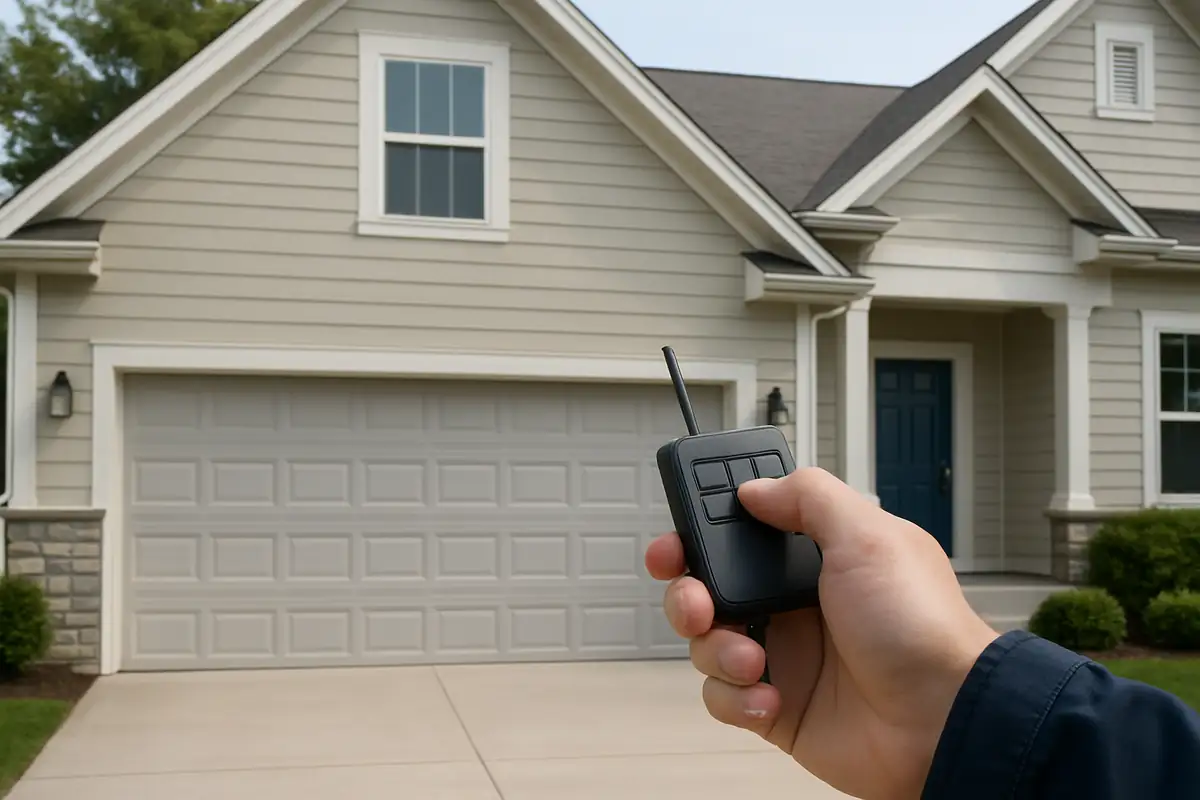
Have you ever struggled with your garage door remote, only to realize it needs reprogramming? You’re not alone! Whether you’ve just bought a new remote, lost your original, or your remote has simply stopped working, programming it correctly is essential for the security and convenience of your home. In this detailed guide, ACA Garage Door Repair in Redwood City, CA, will help you navigate the steps to effortlessly program your garage door remote, ensuring easy access to your garage every time.
Understanding Your Garage Door Remote
Before diving into programming, it's crucial to familiarize yourself with the type of garage door remote you own. Garage door remotes typically operate on radio frequencies and come in various designs and functionalities. Here’s a breakdown of the most common types:
- Single Button Remotes: These are designed to operate a single garage door.
- Multi-button Remotes: These can control multiple garage doors or gates.
- Smart Remotes: These connect to your smartphone or home automation system for remote access.
Understanding your remote type will make the programming process much simpler.
Steps to Program Your Garage Door Remote
Programming your garage door remote can be a straightforward process. The exact steps may vary depending on the make and model of your garage door opener, but the general process remains consistent. Here’s how to do it:
Step 1: Gather Necessary Materials
Before you begin, make sure you have:
- Your garage door remote
- The garage door opener unit
- A step-ladder (if needed)
Step 2: Locate the Learn Button
Most garage door openers are equipped with a 'Learn' button, which is essential for programming your remote. Here’s how to find it:
- Open the garage door using your existing remote.
- Look for the 'Learn' button on the back or side of the garage door opener, usually near the antenna.
- Note the color of the light next to the button; this is essential for troubleshooting later.
Step 3: Program Your Remote
Now, follow these steps to program your remote:
- Press and hold the 'Learn' button until the indicator light turns on (typically about 3 seconds).
- Within 30 seconds, press and hold the button on your remote that you want to program.
- Release the remote button when the garage door opener's light blinks or you hear a click, indicating successful programming.
Step 4: Test the Remote
After programming, it’s important to test your remote. Simply press the button and see if the garage door opens or closes. If it doesn't work, repeat the programming steps. If issues persist, consider consulting a professional.
Troubleshooting Common Garage Door Remote Issues
If your garage door remote isn’t functioning properly, don’t panic! Here are some common issues and their solutions:
Remote Not Responding
- Check the batteries. If they are low, replace them.
- Ensure you are within range of the garage door opener.
- Verify that the remote is programmed correctly.
Garage Door Opens/Closes by Itself
This issue can be alarming. Here’s what to check:
- Ensure there is no interference from nearby electronic devices.
- Check to see if the remote is stuck or malfunctioning.
- Reprogram the remote to ensure its codes are properly set.
Importance of Regular Maintenance
Just as programming is essential, regular maintenance of your garage door system is equally important. Here are a few tips:
- Inspect the door tracks and rollers for wear and tear.
- Lubricate moving parts at least twice a year.
- Check the balance of the door to ensure it opens and closes smoothly.
Statistics show that regular maintenance can extend the lifespan of your garage door system by up to 30%!
When to Call a Professional
If you encounter persistent issues or feel overwhelmed by the programming process, don’t hesitate to contact a professional. ACA Garage Door Repair in Redwood City, CA, offers expert assistance for all garage door needs, including remote programming, repairs, and maintenance.
Conclusion
Programming your garage door remote doesn’t have to be a hassle. With the steps outlined above, you can easily manage it yourself. However, if you ever feel uncertain, reach out to ACA Garage Door Repair for trustworthy service and support. We’re here to ensure your garage door operates smoothly and securely.
Call us today! Whether you need help programming your remote or require more extensive repairs, our friendly team is ready to assist you. Enjoy peace of mind knowing your garage is in good hands.
Explore More Resources
Related Articles
Service Areas
We proudly serve Redwood City, Redwood Junction, North Fair Oaks, San Carlos, Lindenwood and more areas.
Our Services
Professional garage door repair, spring repair, opener installation and more. View all services →